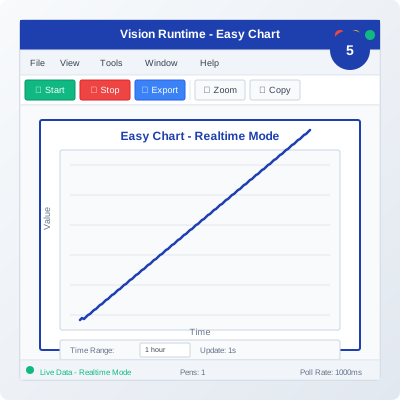
Web-based SCADA platform for industrial strip charts
Learn about Ignition's powerful capabilities for creating industrial strip charts
Ignition by Inductive Automation is a powerful web-based SCADA platform that provides excellent tools for creating industrial strip charts. Its Perspective module offers real-time data visualization with web-based accessibility.
Why Ignition is the preferred choice for industrial strip chart applications
Ignition's web-based architecture allows strip charts to be accessed from any device with a web browser, providing universal access to industrial data visualization.
Optimized for real-time data streaming with low latency, ensuring that strip charts display live data with minimal delay for critical industrial applications.
Strip charts automatically adapt to different screen sizes and devices, providing optimal viewing experience on desktop, tablet, and mobile devices.
Seamless integration with industrial databases and historians, allowing strip charts to display both real-time and historical data from various sources.
Support for multiple concurrent users with role-based access control, enabling teams to collaborate on strip chart analysis and monitoring.
Designed to scale from small installations to enterprise-wide deployments, supporting thousands of tags and multiple strip chart displays.
Follow these detailed steps to create industrial strip charts in Ignition
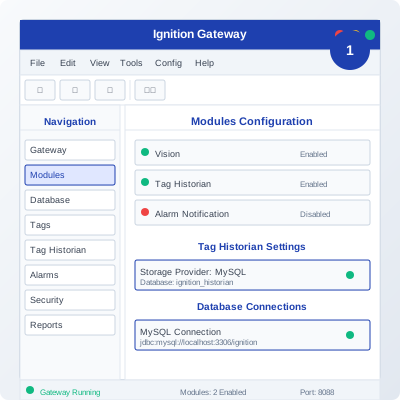
Install and configure the Ignition Gateway, then set up the Perspective module for web-based strip chart development.
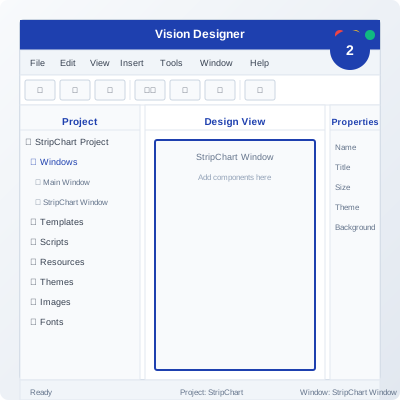
Create a new Perspective project and view to contain your strip chart components and configure the project settings.
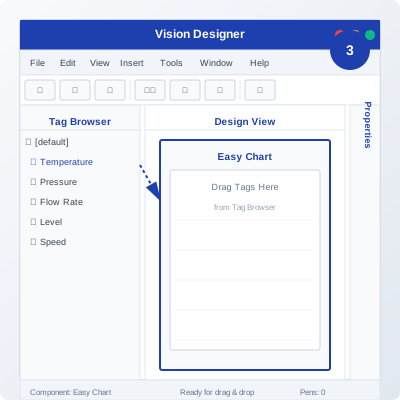
Add a Line Chart component to your view and configure it for strip chart functionality with real-time data binding.
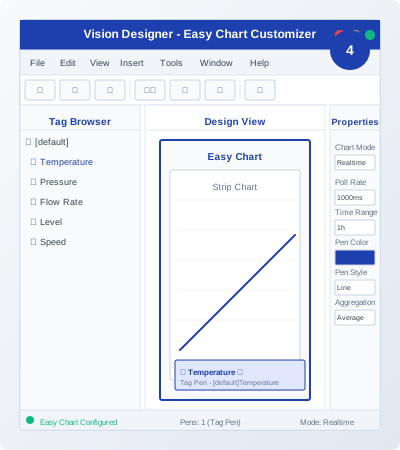
Configure the strip chart properties including time range, data points, colors, and real-time update settings.
Deploy your strip chart to the Ignition Gateway and test its functionality with real-time data from your industrial systems.
Practical configuration examples and real-world applications for Ignition strip charts
// Ignition Perspective Strip Chart Configuration
// Component: Line Chart
// Data Source: Tag History
// Update Mode: Real-time
// Chart Properties:
{
"dataSource": "TagHistory",
"tags": [
"Temperature_Sensor_1",
"Pressure_Sensor_1",
"Flow_Rate_1"
],
"timeRange": "1h",
"updateInterval": 1000,
"stripChartMode": true,
"maxDataPoints": 1000
}
// Real-time update script
function updateStripChart() {
var currentTime = new Date();
var data = system.tag.readBlocking([
"Temperature_Sensor_1",
"Pressure_Sensor_1",
"Flow_Rate_1"
]);
chart.addDataPoint(currentTime, data);
}
// Component binding
chart.dataSource = "TagHistory";
chart.timeRange = "1h";
chart.updateInterval = 1000;
This basic configuration shows how to set up a simple strip chart in Ignition Perspective with real-time data binding and automatic updates from industrial tags.
// Multi-Channel Industrial Strip Chart
// Supporting multiple industrial parameters
// Data Source Configuration:
var dataSources = {
"Temperature": {
"tags": ["Temp_1", "Temp_2", "Temp_3"],
"color": "#FF0000",
"yAxis": "left"
},
"Pressure": {
"tags": ["Press_1", "Press_2", "Press_3"],
"color": "#0000FF",
"yAxis": "right"
},
"Flow": {
"tags": ["Flow_1", "Flow_2", "Flow_3"],
"color": "#00FF00",
"yAxis": "left"
}
};
// Chart Configuration:
var chartConfig = {
"type": "LineChart",
"dataSource": "TagHistory",
"timeRange": "2h",
"updateInterval": 500,
"maxDataPoints": 2000,
"stripChartMode": true,
"multipleYAxes": true,
"legend": {
"position": "bottom",
"visible": true
}
};
// Real-time update function
function updateMultiChannelChart() {
var currentTime = new Date();
for (var channel in dataSources) {
var tags = dataSources[channel].tags;
var values = system.tag.readBlocking(tags);
chart.addDataSeries(channel, currentTime, values);
}
chart.refresh();
}
This advanced configuration demonstrates how to create a multi-channel strip chart with different Y-axes, multiple data sources, and real-time updates for comprehensive industrial monitoring.
// Advanced Strip Chart with Alarms and Analytics
// Including threshold monitoring and statistical analysis
// Alarm Configuration:
var alarmConfig = {
"highLimit": 100,
"lowLimit": 0,
"alarmEnabled": true,
"notificationMethod": "email"
};
// Statistical Analysis:
var analyticsConfig = {
"movingAverage": {
"enabled": true,
"windowSize": 10
},
"trendAnalysis": {
"enabled": true,
"method": "linear"
},
"statistics": {
"mean": true,
"stdDev": true,
"minMax": true
}
};
// Chart Configuration:
var advancedChartConfig = {
"type": "LineChart",
"dataSource": "TagHistory",
"timeRange": "4h",
"updateInterval": 250,
"maxDataPoints": 4000,
"stripChartMode": true,
"alarms": alarmConfig,
"analytics": analyticsConfig,
"export": {
"enabled": true,
"format": "CSV",
"interval": "1h"
}
};
// Advanced update function with analytics
function updateAdvancedStripChart() {
var currentTime = new Date();
var data = system.tag.readBlocking(["Process_Variable"]);
// Add data point
chart.addDataPoint(currentTime, data);
// Check alarms
if (data > alarmConfig.highLimit || data < alarmConfig.lowLimit) {
system.alarm.trigger("Process_Alarm", data);
}
// Update analytics
var stats = chart.calculateStatistics();
system.tag.write("Process_Mean", stats.mean);
system.tag.write("Process_StdDev", stats.stdDev);
chart.refresh();
}
This advanced configuration includes alarm monitoring, statistical analysis, and data export capabilities, demonstrating Ignition's comprehensive industrial monitoring features.
See how Ignition strip charts are used in actual industrial applications
Industrial Process Monitoring
Manufacturing facilities use Ignition strip charts to monitor critical process parameters, track equipment performance, and ensure optimal production efficiency.
Power Generation
Power plants and electrical utilities use Ignition strip charts to monitor electrical parameters, grid stability, and equipment performance in real-time.
Water Treatment
Water treatment facilities and environmental monitoring systems use Ignition strip charts to track water quality parameters and environmental conditions.