Chlorine Test Color Chart

Free/Total/Combined Chlorine interpretation with real-time strip chart visualization
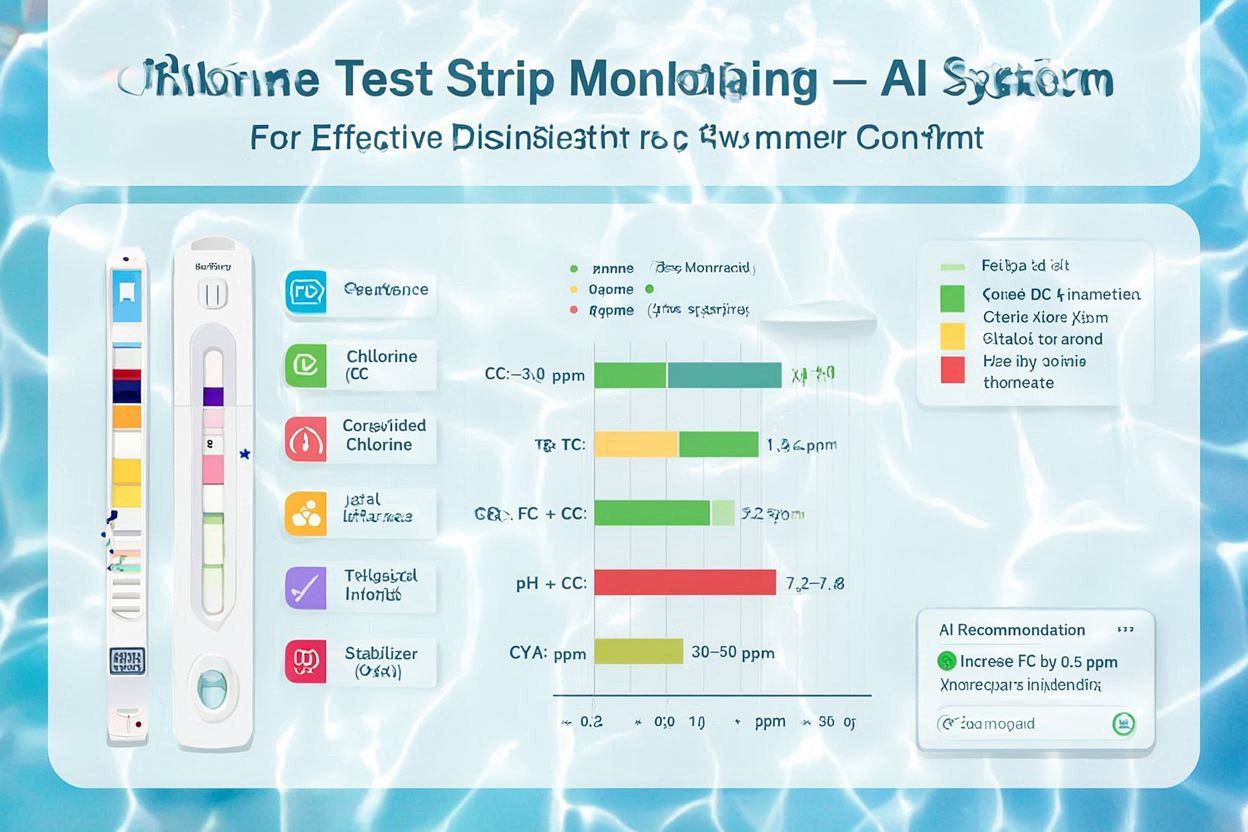
Chlorine Test Color Chart demo

Chlorine Test Color Chart Overview

Understand and monitor chlorine-related parameters for effective disinfection and swimmer comfort

Chlorine Parameters & Roles

Free Chlorine (FC) sanitizes water. Combined Chlorine (CC) indicates chloramines that cause odor and irritation. Total Chlorine (TC) = FC + CC. Maintain proper levels for safety and clarity.

  • Free chlorine for active sanitation
  • Combined chlorine indicates contaminants
  • Total chlorine for overall level
  • Influenced by pH and CYA

Why a Color Chart Matters

Color charts provide quick visual correlation between strip pad color and chlorine concentration ranges. Real-time strip charts add history, trend, and alerting for proactive control.

  • Immediate visual feedback
  • Trend analysis for drift
  • Alert thresholds
  • Better dosing decisions

Chlorine Test Color Chart Parameters

Key chlorine parameters and recommended ranges for pools and spas

Free Chlorine (FC)

Normal Range: 1.0 - 4.0 ppm
What it means: Active sanitizer available to kill pathogens.
Impact: Low FC risks algae/bacteria; high FC irritates eyes/skin.

Combined Chlorine (CC)

Normal Range: 0.0 - 0.2 ppm
What it means: Chloramines formed when FC reacts with contaminants.
Impact: High CC causes odor/irritation; indicates need to shock.

Total Chlorine (TC)

Normal Range: 1.0 - 4.0 ppm
What it means: TC = FC + CC, reflects overall chlorine level.
Impact: TC higher than FC indicates CC accumulation.

pH Influence

Recommended pH: 7.2 - 7.6
Effect: Higher pH reduces HOCl proportion; lowers disinfection efficacy.
Tip: Keep pH in range so FC remains effective.

Stabilizer (CYA)

Recommended CYA: 30 - 50 ppm (outdoor pools)
Effect: Protects FC from sunlight; raises required FC target.
Tip: Avoid excessive CYA which reduces FC activity.

Chlorine Test Color Chart Visual Examples & Guide

Real-time example with Free/Total/Combined Chlorine visualization and interpretation

Chlorine Test Color Chart example

How to Read Chlorine Test Results

Healthy Levels

FC within 1-4 ppm, CC ≤ 0.2 ppm, TC ≈ FC. Water is properly sanitized and comfortable.

Rising CC

TC noticeably greater than FC. Plan breakpoint chlorination (shock) to clear chloramines.

Low FC

FC below 1 ppm risks algae and pathogens. Raise FC immediately; verify pH and CYA.

Traditional Chlorine Color Chart vs Digital Strip Chart

Compare paper color charts with modern, real-time digital strip charts

Traditional Paper Color Chart - How to Read

Chlorine Color Scale

Free Chlorine
0 - 10 ppm
Total Chlorine
0 - 10 ppm

Steps:

1
Dip strip for 2 seconds; do not swirl.
2
Hold level; wait per instructions.
3
Compare pad to color chart promptly.
4
Record FC and TC; compute CC = TC - FC.

Chlorine Parameters Explained

Free Chlorine (FC)

Normal: 1.0 - 4.0 ppm
Role: Active sanitizer (HOCl/OCl-).
Why: Directly determines disinfection strength.

Combined Chlorine (CC)

Normal: ≤ 0.2 ppm
Role: Chloramines; byproducts causing odor/irritation.
Why: Indicates need for breakpoint chlorination.

Total Chlorine (TC)

Normal: 1.0 - 4.0 ppm
Role: FC + CC; overall chlorine level.
Why: Helps detect CC buildup (TC > FC).

Chlorine Parameter Troubleshooting

Common chlorine issues and corrective actions

CC Too High (TC ≫ FC)

Symptoms: Strong odor, eye irritation, dull water.
Solution:
  • Perform breakpoint chlorination (shock)
  • Improve filtration and circulation
  • Verify pH in 7.2 - 7.6 range
  • Reduce organic load (shower before swim)

FC Too Low (< 1.0 ppm)

Symptoms: Algae growth, cloudy water, poor sanitation.
Solution:
  • Raise FC; ensure adequate CYA (30-50 ppm outdoors)
  • Check feeder/injector operation
  • Reduce sunlight exposure or increase dosing
  • Brush and filter continuously

FC Too High (> 4.0 ppm)

Symptoms: Strong chlorine smell, eye/skin irritation.
Solution:
  • Allow natural decay; reduce dosing
  • Partially dilute if excessively high
  • Re-check CYA to ensure appropriate targets
  • Confirm pH is within range

Chlorine Chart Generation Tools

Create digital chlorine charts with professional tools

Python

Build chlorine trend charts using matplotlib/plotly with automated alerts.

Real-timeCustom alertsReports

JavaScript

Interactive web charts on Canvas or D3 for chlorine management dashboards.

WebInteractiveResponsive

LabVIEW

Industrial SCADA-style chlorine monitoring with logging and alarms.

SCADALoggingAlarms

Excel

Simple chlorine data tracking with conditional formatting alert rules.

EasyAnalysisReports

AI Chlorine Chart Tools

AI-powered tools for Chlorine Strip Chart analysis and optimization.

AI Analysis Predictive Analytics Auto Recommendations

Currently Available AI Tools for Chlorine Strip Chart:

  • ChlorineAI Smart Monitor: Advanced AI-powered chlorine strip chart analysis with predictive water quality monitoring
  • ChlorAI Analytics: Machine learning-based chlorine parameter analysis and optimization
  • ChlorineNeural System: Deep learning platform for chlorine strip chart prediction and management
  • SmartChlorine AI: Intelligent chlorine test monitoring with automated parameter recommendations
  • ChlorineIntelligence Platform: Cloud-based AI system for comprehensive chlorine strip chart analysis
  • NeuralChlorine Monitor: AI-driven chlorine test monitoring with source-specific recommendations
  • ChlorinePredict AI: Predictive analytics system for proactive water quality maintenance using chlorine strip chart data
  • AquaSense Chlorine AI: Intelligent chlorine strip chart interpretation with automated alerts
  • HydroChlorine AI Analytics: AI-powered chlorine analysis with real-time strip chart monitoring
  • PureChlorine AI System: Comprehensive AI platform for chlorine strip chart analysis and optimization

How to Use Chlorine Color Charts

Step-by-step usage for accurate chlorine testing and control

1

Prepare & Sample

Collect fresh water sample away from returns; follow strip timing precisely.

  • Rinse container with sample water
  • Follow strip dip/hold timing
  • Avoid sunlight glare when reading
  • Record FC, TC and compute CC
2

Interpret & Log

Use the color chart and digital strip chart trends to assess chlorine balance.

  • Confirm FC is within target range
  • Ensure CC ≤ 0.2 ppm
  • Check pH and CYA context
  • Log readings for trend analysis
3

Adjust & Verify

Adjust dosing based on FC/CC status; verify results after circulation.

  • Shock if CC is elevated
  • Increase FC if low, reduce if high
  • Re-test after 30-60 minutes
  • Refine dosing schedule
4

Maintain & Monitor

Maintain routine checks and leverage alerts for stable chlorine levels.

  • Daily FC/TC spot checks
  • Weekly shock if CC persists
  • Adjust for bather load and sun
  • Review digital chart trends